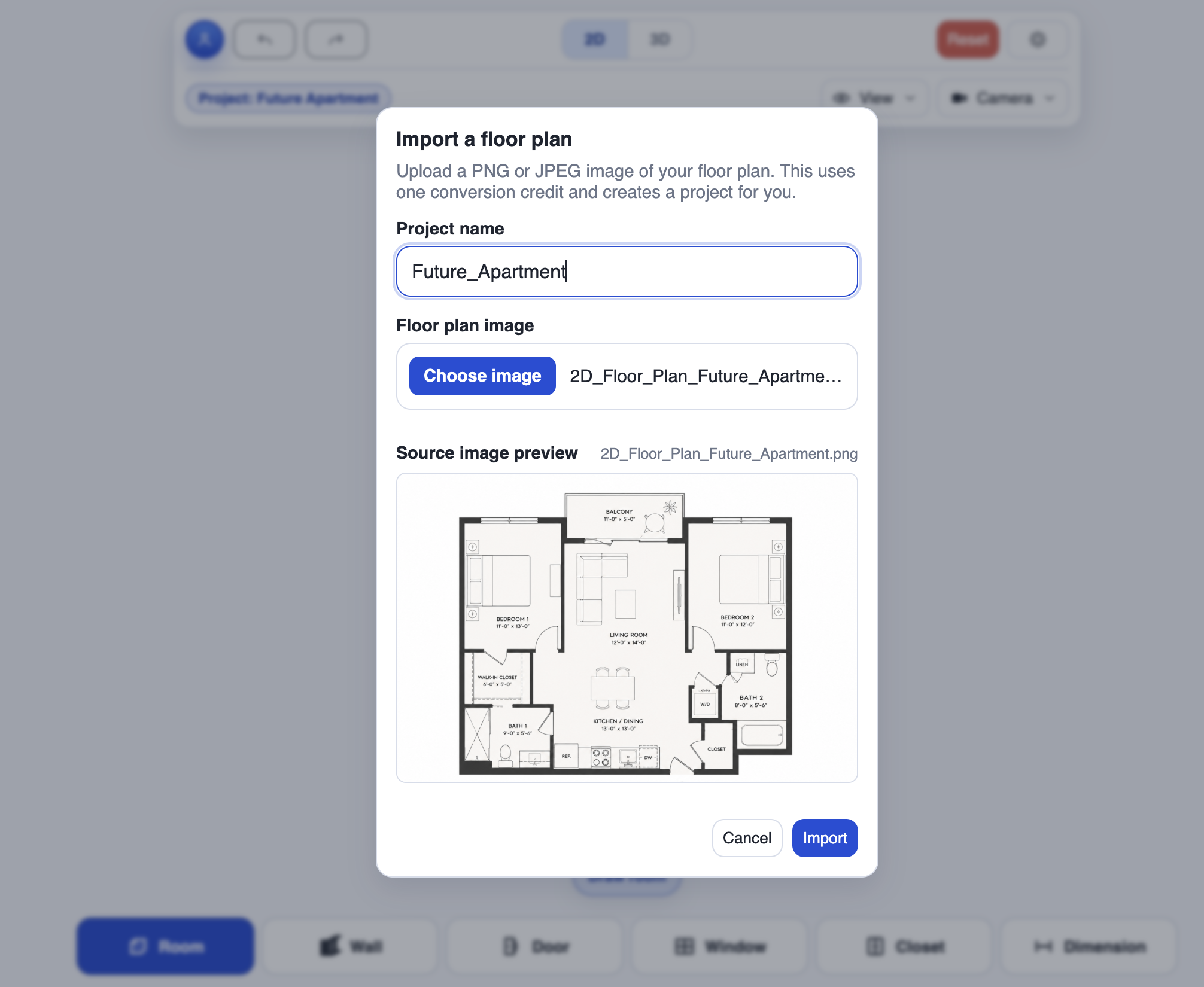
 01 / IMPORT
Add your floor plan
Upload a PNG or JPEG image and start the conversion.
Your floor plan, ready to evolve
Upload a floor plan image. CozyPlan creates a draft you can correct, furnish, and explore in 3D.
First import free · PNG or JPEG · Review the result
From floor plan image to editable project
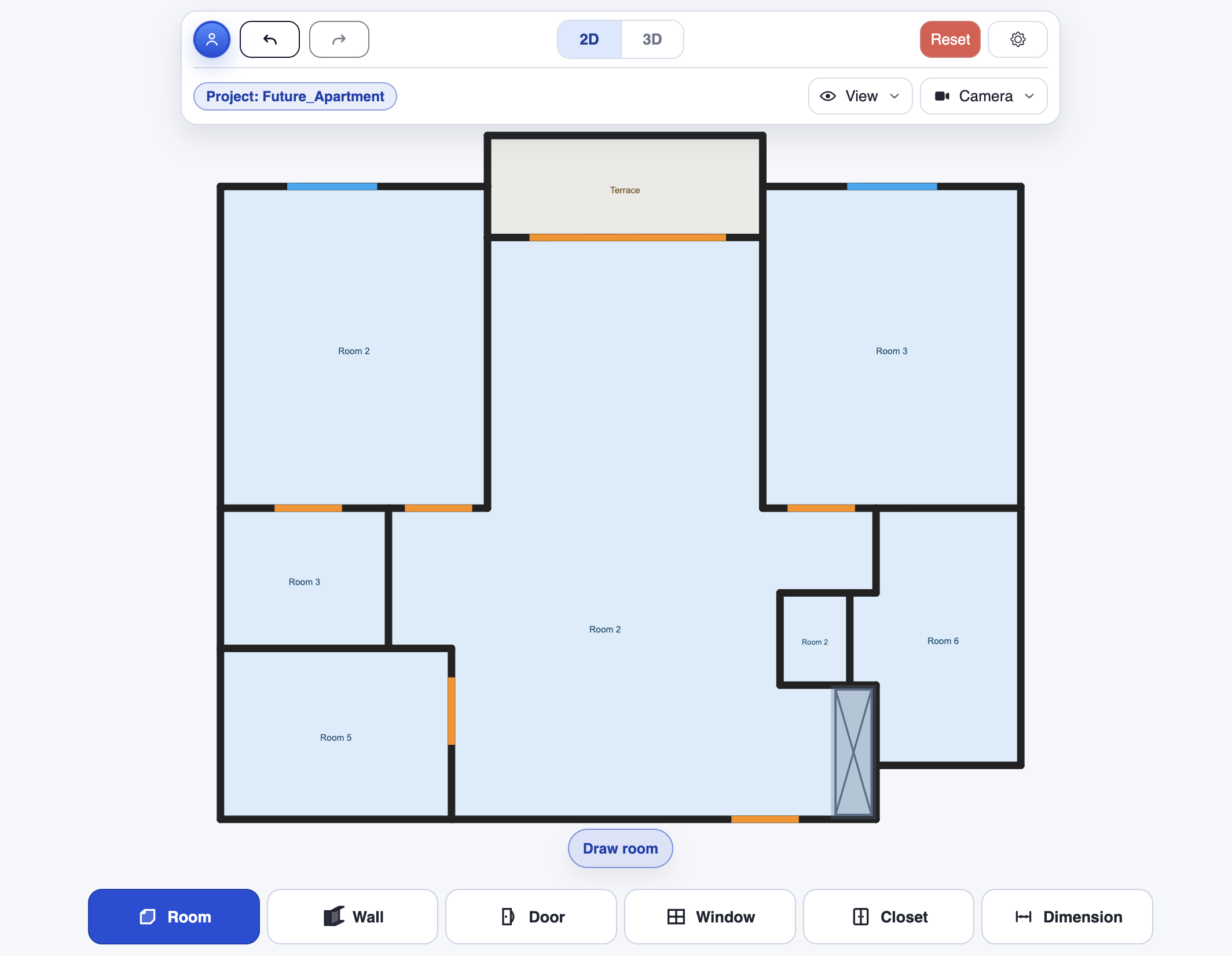
Review the result in the editor, then switch to 3D.
How it works
Importing saves you from starting with a blank canvas. The result stays editable so you can check every detail.
01 / IMPORTUpload a PNG or JPEG image and start the conversion.
02 / REVIEWYou can leave the page while it processes. We’ll email you when the plan is ready. Then check walls, openings, and dimensions.
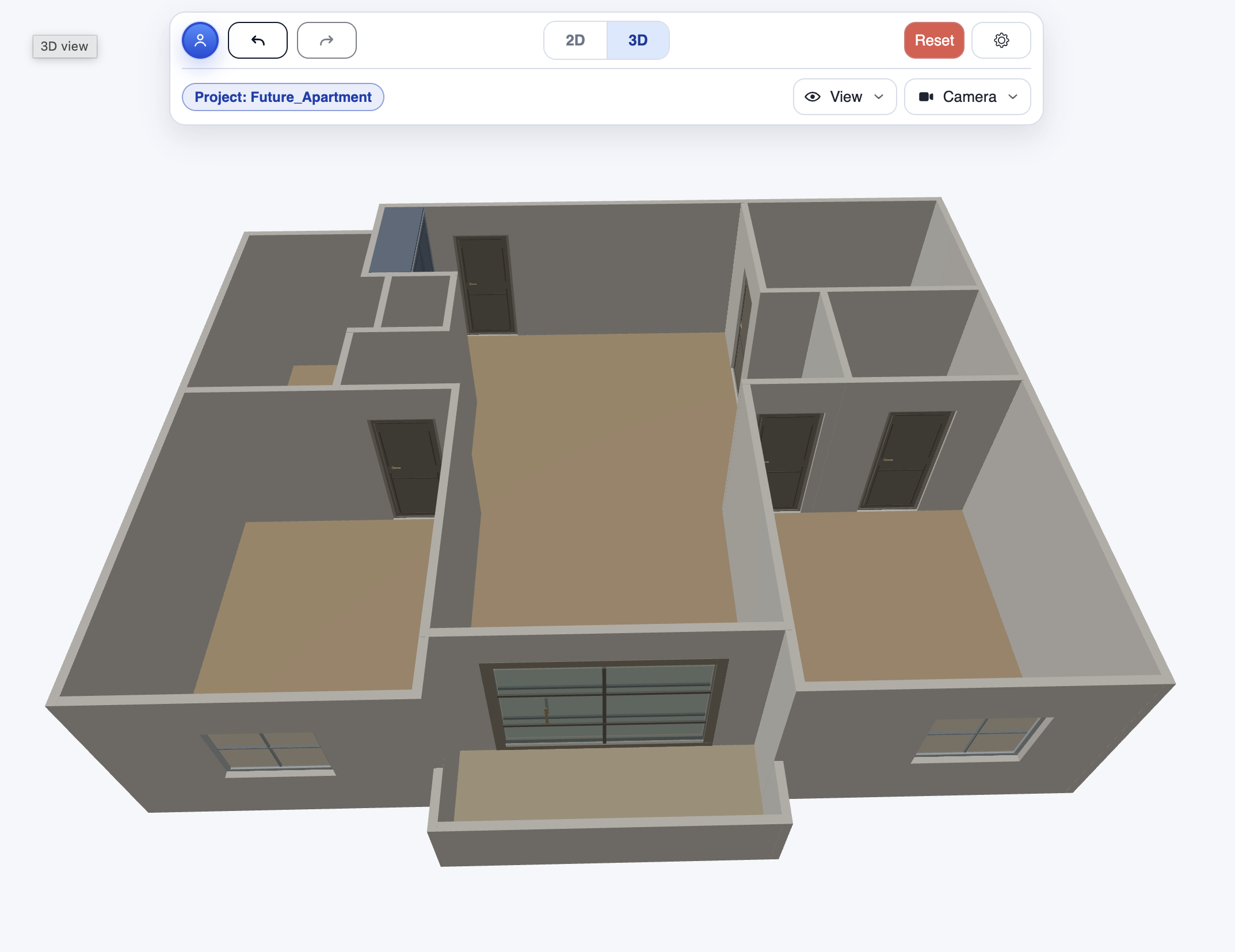 03 / EXPLORE
Explore the space and keep furnishing it in CozyPlan.
Pricing
Need to convert more floor plans? Request more imports and we’ll get back to you with the available options.
Import my first floor planTell us roughly how many plans you want to convert and what you need them for. We’ll follow up with the available options. No purchase at this stage.
Request more importsFAQ
You can import a PNG or JPEG image of your floor plan. PDFs aren’t supported directly: export the floor plan page as a PNG or JPEG first.
Processing can take up to 20 minutes. You can leave the page; we’ll email you when your floor plan is ready.
The result is an editable draft. Check walls, doors, windows, and dimensions, and correct any details before using the 3D view.
Your first import is free. If you need more, request additional imports and we’ll get back to you with the available options.